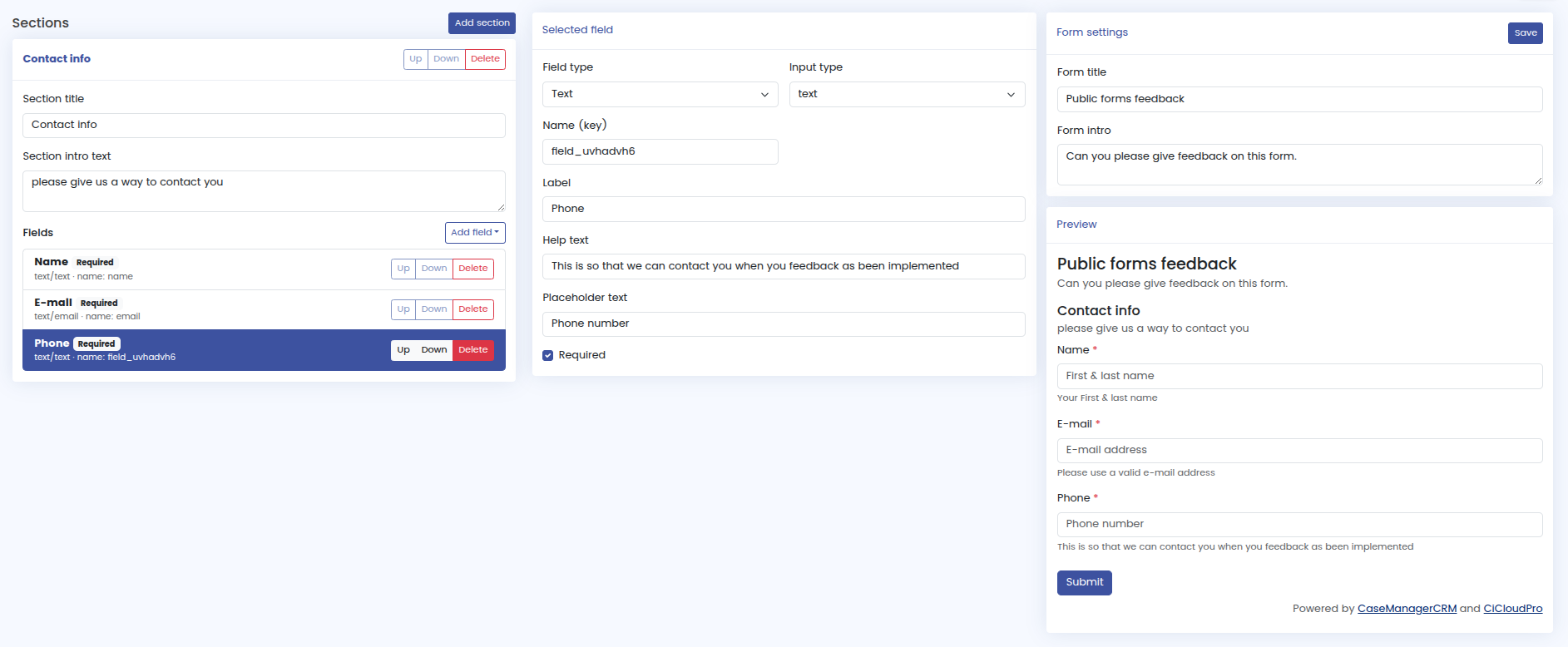
CaseManagerCRM just got more flexible. We’ve added a built-in form builder so you can create your own client forms and keep everything automatically logged inside CaseManagerCRM.
This update is designed to save time and keep your client information in one place. Instead of collecting details through emails, documents, or external tools, you can now send a form link to your client and let CaseManagerCRM handle the rest.
Create your own forms
With the new form builder, you can create custom forms for your workflow. For example, you can build:
- Client intake forms
- Follow-up questionnaires
- Status update forms
- Consent or confirmation forms
- Information request forms
No coding required
The form builder is visual, so you don’t need any coding experience. You can create and arrange fields on screen, then publish your form when it’s ready.
Send a link to your client
Once your form is created, you’ll get a link you can send to your client by email or message. The client fills it in and submits it when convenient.
Automatically logged in CaseManagerCRM
After submission, the form data is automatically stored in CaseManagerCRM. This means you don’t have to copy and paste information, download files, or manually update records. Everything is captured and saved where it belongs, so you always have the full picture in one place.
The Form Builder is available now, and you can start creating and sharing forms directly from inside CaseManagerCRM.